> For the complete documentation index, see [llms.txt](https://autotask.gitbook.io/autotask/llms.txt). Markdown versions of documentation pages are available by appending `.md` to page URLs; this page is available as [Markdown](https://autotask.gitbook.io/autotask/installation-of-the-bot.md).
# Installation of the bot
An example of how to invite and configure the bot.
## AutoTask invitation
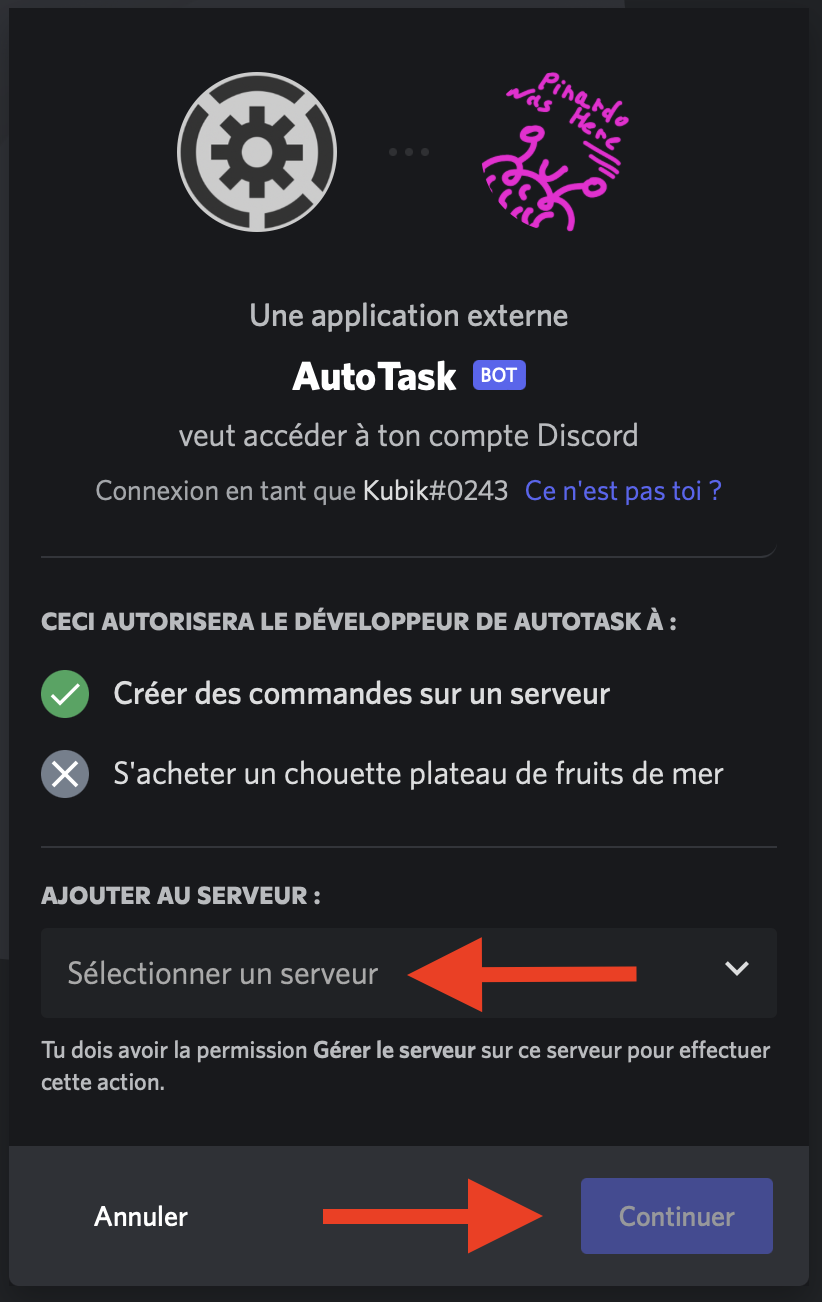
Let's start by inviting **AutoTask** on your server by going to [the invitation page (by clicking here)](https://discord.com/api/oauth2/authorize?client_id=1031790327570374686\&permissions=8\&scope=bot%20applications.commands).
Log in if necessary and choose the server. Then click on "Continue".
{% hint style="success" %}
And that's it! **AutoTask** is now on your server and it's ready!
{% endhint %}
## AutoTask installation
Once **AutoTask** is on your server, he should have the necessary permissions to do what you want it to do.\
Give him the Administrator permission in the Roles tab of your Discord server settings to make sure he has permission to do everything.
If you want **AutoTask** to assign roles, make sure they are lower in the server hierarchy. You can change this order by dragging roles up and down.
{% hint style="success" %}
If you trust AutoTask by letting him administrator, you should not encounter any permission problems.\
The primary installation of the bot is finished.Next step, the configuration!
{% endhint %}